---
title: "MyDesigns alternative for shopper-facing AI personalization"
description: "Compare MyDesigns and Personalize.design for Shopify POD: catalog publishing and merchant personalization versus shopper-facing AI artwork, preview, and fulfillment."
canonical: "https://personalize.design/alternatives/mydesigns-alternative/"
markdown: "https://personalize.design/alternatives/mydesigns-alternative.md"
language: "en"
page_type: "resource"
section: "Alternatives"
format: "Product alternative"
published: "2026-07-31"
modified: "2026-08-13"
verified: "2026-08-13"
author: "Personalize.design editorial team"
reviewed_by: "Personalize.design product team"
indexing: "index"
tags:
- "MyDesigns alternative"
- "Shopify personalization"
- "bulk publishing"
- "AI personalization"
- "print on demand"
---
# MyDesigns alternative for shopper-facing AI personalization
> Compare MyDesigns and Personalize.design for Shopify POD: catalog publishing and merchant personalization versus shopper-facing AI artwork, preview, and fulfillment.
## TL;DR
Personalize.design is built for Shopify POD merchants who want to stand out from generic POD products, start with one idea, and launch quickly. Use one reusable AI Blueprint to test a product, let shoppers provide a photo or brief, and show the generated result before checkout. High-quality generative AI now makes it possible to sell custom artwork that previously required a designer to create by hand, while keeping the final artwork print-ready for fulfillment.
Personalize.design is a MyDesigns alternative when the missing part of your store is shopper-facing AI personalization. MyDesigns is built for creating designs, generating mockups, preparing listing data, publishing across channels, and managing catalog operations. Personalize.design starts later: a shopper uploads a photo or provides a brief, the app generates new artwork, shows it on a product, and sends the approved result into a POD workflow. If you need to publish hundreds of prepared listings, MyDesigns is closer to the job. If every buyer should help create the product before checkout, Personalize.design is the more direct fit.
## MyDesigns vs. Personalize.design at a glance
| Decision | MyDesigns | Personalize.design |
| --- | --- | --- |
| Starting point | Merchant designs, listings, mockups, metadata, and sales channels | A reusable AI Blueprint connected to a Shopify product |
| AI role | Dream AI, Vision AI, Phraser AI, image utilities, and listing-content assistance | AI-native generation from shopper photos, references, prompts, and input variables |
| Preview | Bulk product mockups and listing visuals for catalog work | A generated product render on a supplier mockup before checkout |
| Personalization | Editable Canvas elements and merchant-edited custom orders | Shopper-facing generation; inputs guide the artwork instead of filling a prepared layer stack |
| Fulfillment | MyDesigns documents Printify routing and a merchant approval step for personalized orders | Printful and Printify can auto-submit or pause for merchant review before submission |
| Public Shopify price | Free to install; Pro $29.99/month; Pro Plus $99.99/month. Credits are optional for advanced AI features | Build is free for drafts; Launch is $29/month or $290/year after the trial, plus $0.45 per personalized item; AI is billed at cost |
| Where complexity sits | Catalog assets, mockups, listing data, publishing limits, channels, and provider mappings | Prompting, references, shopper inputs, output rules, quality tests, and AI spend limits |
This is a workflow comparison, not a claim that one product replaces the other. MyDesigns is useful before a product reaches the storefront and across a large catalog. Personalize.design is built around the moment when a shopper turns an input into the product they want to buy.
## MyDesigns is strongest before the shopper reaches the product page
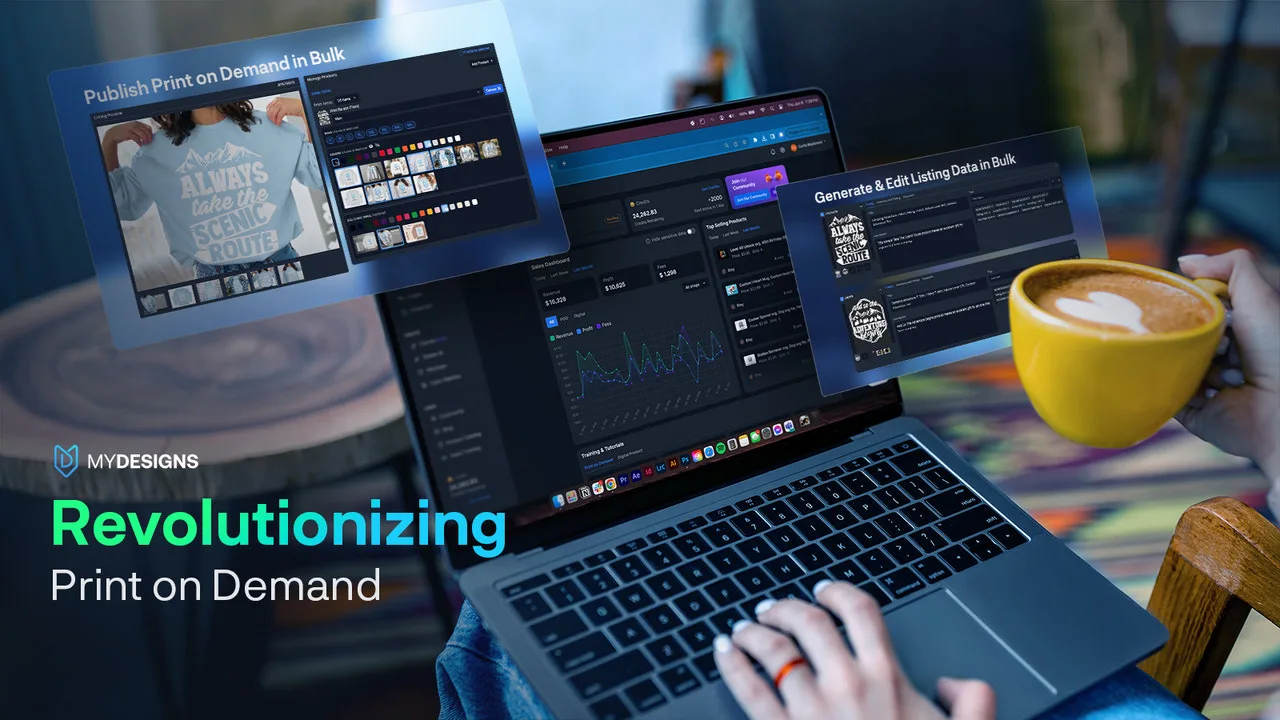
MyDesigns' public pages describe a broad POD workspace: create designs, use Dream AI, generate mockups, prepare titles and tags with Vision AI or Phraser AI, publish products, and manage orders. Its Canvas editor lets merchants add text, photos, shapes, and other editable elements to a design. The same platform covers physical and digital products, Etsy, Shopify, and other catalog workflows.
That is a sensible choice for a seller who has many source designs, wants to publish across marketplaces, or needs to change listing data in bulk. A merchant can prepare the product first and handle a personalization request later. The work is organized around catalog production and operations rather than a live generative step on the storefront.
The public sources reviewed here document MyDesigns' merchant-side personalization and order-editing flow. They do not establish a shopper-facing workflow where a buyer generates a new illustration from a photo and previews that result before checkout. That may change as the product evolves, but it should not be assumed from the presence of Dream AI or mockup features.
Public listing capture. MyDesigns presents bulk publishing, listing management, mockups, and catalog operations as the center of its workflow. Checked August 12, 2026. View the source listing.
## Personalize.design starts with the shopper input
Personalize.design is built around an AI Blueprint. The merchant defines the prompt, style rules, reference artwork, shopper inputs, product and print-area constraints, model settings, and generation limits once. A shopper then uploads a photo or provides the requested information. The Blueprint turns that input into new artwork rather than asking the merchant to prepare every possible visual element in advance.
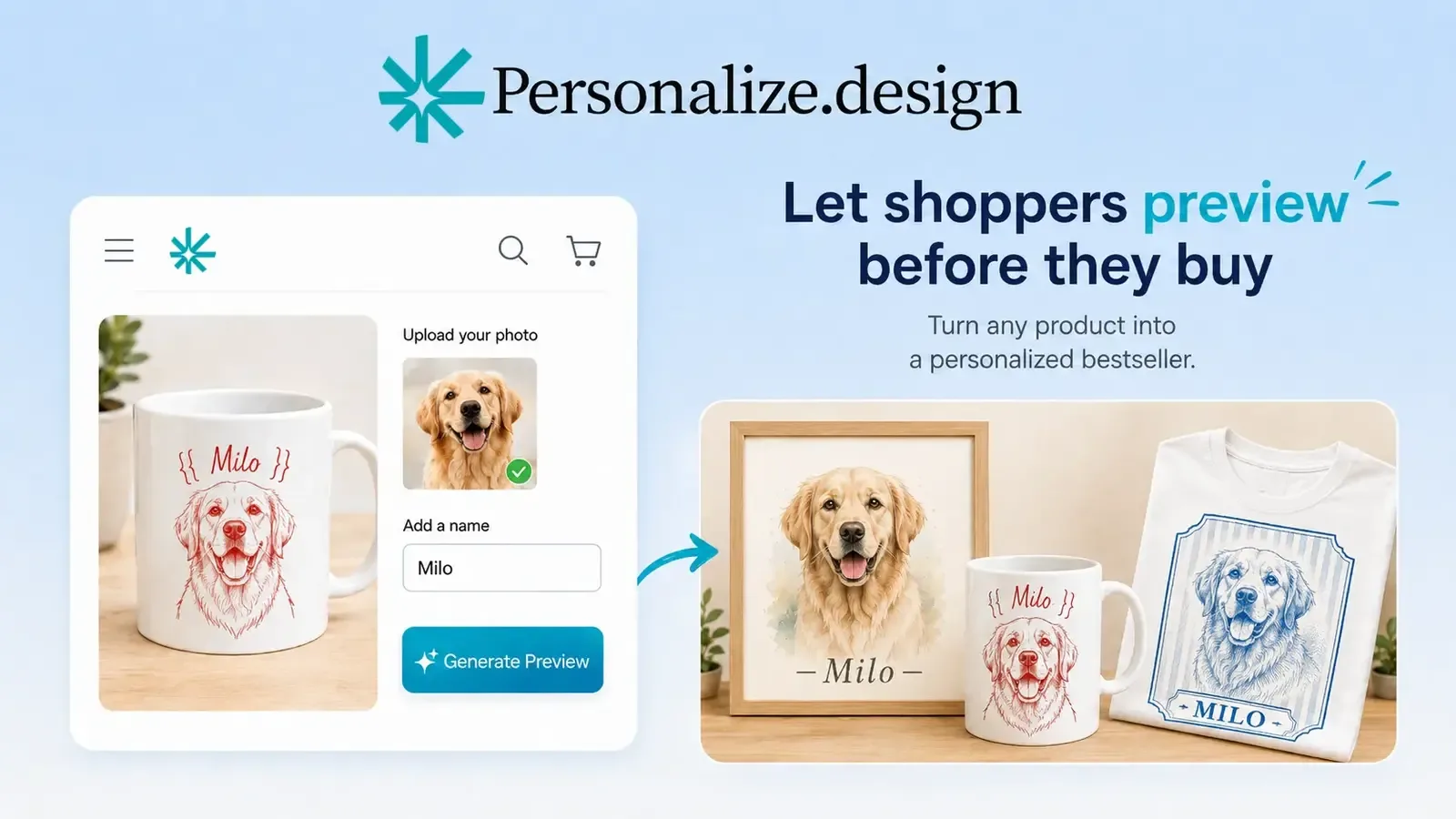
This is the better match for pet portraits, family illustrations, house portraits, personalized apparel, and other photo-to-art products. The customer sees the generated result on the connected product before checkout. The same order keeps the artwork, product mockup, print details, and supplier context together.
Prompting is part of the setup, but it is supported by tools. The [AI design prompt generator](/tools/ai-design-prompt-generator/) can turn a product idea into a structured starting prompt. The merchant still tests difficult photos, sets quality rules, and decides how much AI spend a product can tolerate. That is a different kind of work from producing hundreds of listing variations.
Product capture. Personalize.design puts the generated product result in front of the shopper before checkout. Checked August 12, 2026. View the product listing.Product example. One AI-native product workflow can turn shopper photos or briefs into house portraits, pet artwork, apparel, mugs, and tote bags. Checked August 12, 2026. View the product listing.
## Fulfillment: catalog routing versus approval of a generated order
MyDesigns' [Printify integration guide](https://mydesigns.io/blog/mydesigns-and-printify-integration/) describes connecting a Printify account, choosing a print provider, configuring variants and mockups, and publishing products. Its order overview says orders can route to Printify automatically. For personalized orders, the merchant can edit the order, review it, approve it in MyDesigns, and then send the finalized details to Printify.
Personalize.design supports the same operational choice in a different product flow. With auto-submit enabled, validated Printful and Printify orders move through the connected provider workflow without a manual approval click. With review before submit enabled, an order pauses in **Needs review**. The merchant can inspect the customer input, artwork, product mockup, print dimensions, and production details; download or replace the final asset; then select **Approve and submit**.
That review path matters when a generated result needs human judgment. Automation removes repetitive preparation, while the merchant can still stop a poor output, replace an asset, fix a supplier or variant issue, and retry before production.
## Pricing depends on the workflow you are paying for
The current MyDesigns Shopify listing shows Free to install, Pro at $29.99 per month, and Pro Plus at $99.99 per month. It also describes optional credits for advanced AI features. The MyDesigns website has a broader plan matrix with different publishing, storage, and store limits, so confirm the plan and billing channel that apply to your account before comparing totals.
Personalize.design has a free Build plan for drafts and testing. Launch costs $29 per month or $290 per year. During the 14-day trial, the Launch subscription and $0.45 personalized-item fee are waived, while AI generation is billed at cost from first use. After the trial, each personalized item sold adds $0.45. Preview retries, abandoned sessions, and failed generations can add AI cost before an order ships.
Use the [personalized product margin calculator](/tools/personalized-product-margin-calculator/) to compare the actual operating model. Include catalog labor for MyDesigns and generation, review, replacement, and reprint work for an AI-native product. A lower app fee does not answer which workflow costs less for your store.
## Choose based on the bottleneck
Choose MyDesigns when you need to create and publish many prepared products, generate catalog mockups, write listing data, sell across marketplaces, manage digital products, or edit personalization requests after purchase. It is a catalog and operations platform with personalization features.
Choose Personalize.design when the product promise is "turn my photo or idea into this product." The shopper generates the visual result, previews it before checkout, and the approved artwork moves into Printful or Printify with automatic submission or merchant review before fulfillment.
Some stores could use both: MyDesigns for broad catalog publishing and Personalize.design for a focused Shopify product where shopper-generated artwork is the differentiator. Test one paid order first and verify that the preview, production asset, SKU, and supplier variant remain connected.
Read the [Shopify guide to AI product personalization](/guides/ai-product-personalizer-for-shopify/), compare the [other Shopify product personalizer alternatives](/alternatives/), then [try Personalize.design on Shopify](https://apps.shopify.com/personalize-design-beta) with one product.
## Sources
- [MyDesigns on the Shopify App Store](https://apps.shopify.com/mydesigns-io)
- [MyDesigns pricing](https://mydesigns.io/pricing)
- [MyDesigns product personalization](https://mydesigns.io/features/product-personalization)
- [MyDesigns and Printify integration](https://mydesigns.io/blog/mydesigns-and-printify-integration/)
- [Personalize.design on the Shopify App Store](https://apps.shopify.com/personalize-design-beta)
For a wider shortlist, see the [Shopify product personalizer comparison](/compare/best-shopify-product-personalizer-apps/) and the [Teeinblue alternative](/alternatives/teeinblue-alternative/).