---
title: "Zakeke alternative for AI-generated Shopify POD products"
description: "Compare Zakeke with Personalize.design for Shopify POD: 2D and 3D configuration, AI previews, shopper-generated artwork, pricing, and fulfillment."
canonical: "https://personalize.design/alternatives/zakeke-alternative/"
markdown: "https://personalize.design/alternatives/zakeke-alternative.md"
language: "en"
page_type: "resource"
section: "Alternatives"
format: "Product alternative"
published: "2026-08-12"
modified: "2026-08-13"
verified: "2026-08-13"
author: "Personalize.design editorial team"
reviewed_by: "Personalize.design product team"
indexing: "index"
tags:
- "Zakeke alternative"
- "Shopify personalization"
- "3D product configurator"
- "AI personalization"
- "print on demand"
---
# Zakeke alternative for AI-generated Shopify POD products
> Compare Zakeke with Personalize.design for Shopify POD: 2D and 3D configuration, AI previews, shopper-generated artwork, pricing, and fulfillment.
## TL;DR
Personalize.design is built for Shopify POD merchants who want to stand out from generic POD products, start with one idea, and launch quickly. Use one reusable AI Blueprint to test a product, let shoppers provide a photo or brief, and show the generated result before checkout. High-quality generative AI now makes it possible to sell custom artwork that previously required a designer to create by hand, while keeping the final artwork print-ready for fulfillment.
Personalize.design is a Zakeke alternative when the main product is new artwork generated from a shopper photo or brief. Zakeke is a broad visual-commerce platform for 2D customization, 3D configuration, AR, virtual try-on, dynamic pricing, and production-ready files. Personalize.design focuses on a narrower POD workflow: define a reusable AI Blueprint, let the shopper provide the source material, render the generated result on a supplier product, and send it to Printful or Printify automatically or after merchant review.
Zakeke is the stronger fit when shape, materials, components, fit, or physical placement need interactive inspection. Personalize.design is the stronger fit when the artwork itself should be created from the shopper's input.
## Zakeke vs. Personalize.design at a glance
| Decision | Zakeke | Personalize.design |
| --- | --- | --- |
| AI-generated artwork | The public listing includes AI product previews, AI product images, and print or embroidery effects alongside a wider configurator. A reusable shopper-photo-to-art Blueprint was not verified in the reviewed sources. | AI-native generation from shopper photos, briefs, reference artwork, prompts, and output rules. |
| Live preview | Real-time 2D and 3D customization, AR, virtual try-on, and interactive changes to text, images, materials, and colors. | A generated product render shows the new artwork on a connected supplier product before checkout. |
| Configuration | 2D elements, 3D models, materials, components, variants, conditional rules, pricing rules, and print methods. | AI Blueprint inputs, prompt and style rules, references, print-area constraints, model settings, quality checks, and spend limits. |
| Fulfillment | Production-ready files in PDF, PNG, SVG, or DXF and POD connections including Printful are documented. Exact automatic provider submission varies by integration and should be confirmed. | Printful and Printify can auto-submit validated orders or pause for review so the merchant can inspect, replace, retry, and approve before submission. |
| Price | Development stores are free; Starter is $69.90/month plus a 1.9% transaction fee, Grow $129.90 plus 1.7%, and Scale $299.90 plus 1.5%; 14-day trial. | Build is free for drafts and testing. Launch is $29/month or $290/year after the trial, plus $0.45 per personalized item; AI generation is billed at cost. |
| Where complexity sits | 3D assets, print methods, product rules, variants, materials, pricing, and channel setup. | Prompting, references, shopper inputs, generation limits, output constraints, quality testing, and supplier readiness. The [AI design prompt generator](/tools/ai-design-prompt-generator/) helps start the Blueprint. |
These products overlap in customization, but they solve different uncertainty. Zakeke helps a shopper understand a configurable physical object. Personalize.design helps a shopper see what a new AI-generated artwork product will look like before buying it.
## Zakeke is a visual configurator for complex products
Zakeke's public Shopify listing positions the product as an AI product personalizer and customizer with live preview, print-ready files, 3D, and try-on. Its documented feature set includes text, images, colors, fonts, conditional logic, dynamic pricing, 3D models, AR, virtual try-on, and print-ready output. The platform can also model printing methods and production constraints.
That breadth is useful for custom products where the shopper needs to inspect the physical result: furniture, jewelry, bags, apparel, drinkware, engraved goods, or products with multiple materials and components. The merchant prepares the catalog and rules so the shopper can configure a valid product.
The current listing mentions AI previews and AI product images. The sources reviewed here do not show the same shopper-facing flow as an AI Blueprint that takes a customer's photo or brief and generates a new illustration as the product artwork. That is the boundary to test before treating Zakeke as a direct substitute for an AI-native photo-to-art workflow.
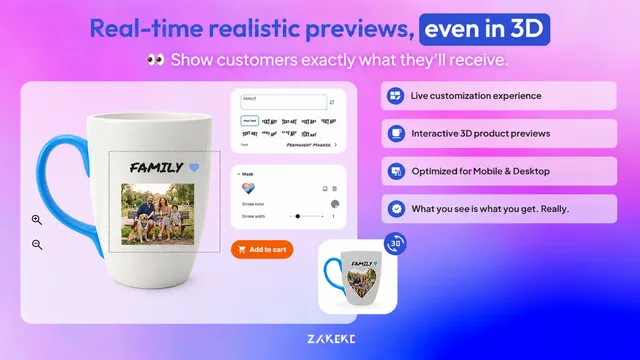
Public listing capture. Zakeke's listing shows real-time customization, product options, and a 3D-oriented preview experience. Checked August 12, 2026. View the source listing.
## Personalize.design is built around generated artwork
Personalize.design starts with a reusable AI Blueprint, not a 3D catalog. The Blueprint defines what the shopper uploads or enters, how the model should transform it, which reference artwork guides the result, what print area the output must respect, and how generation cost and retries are controlled.
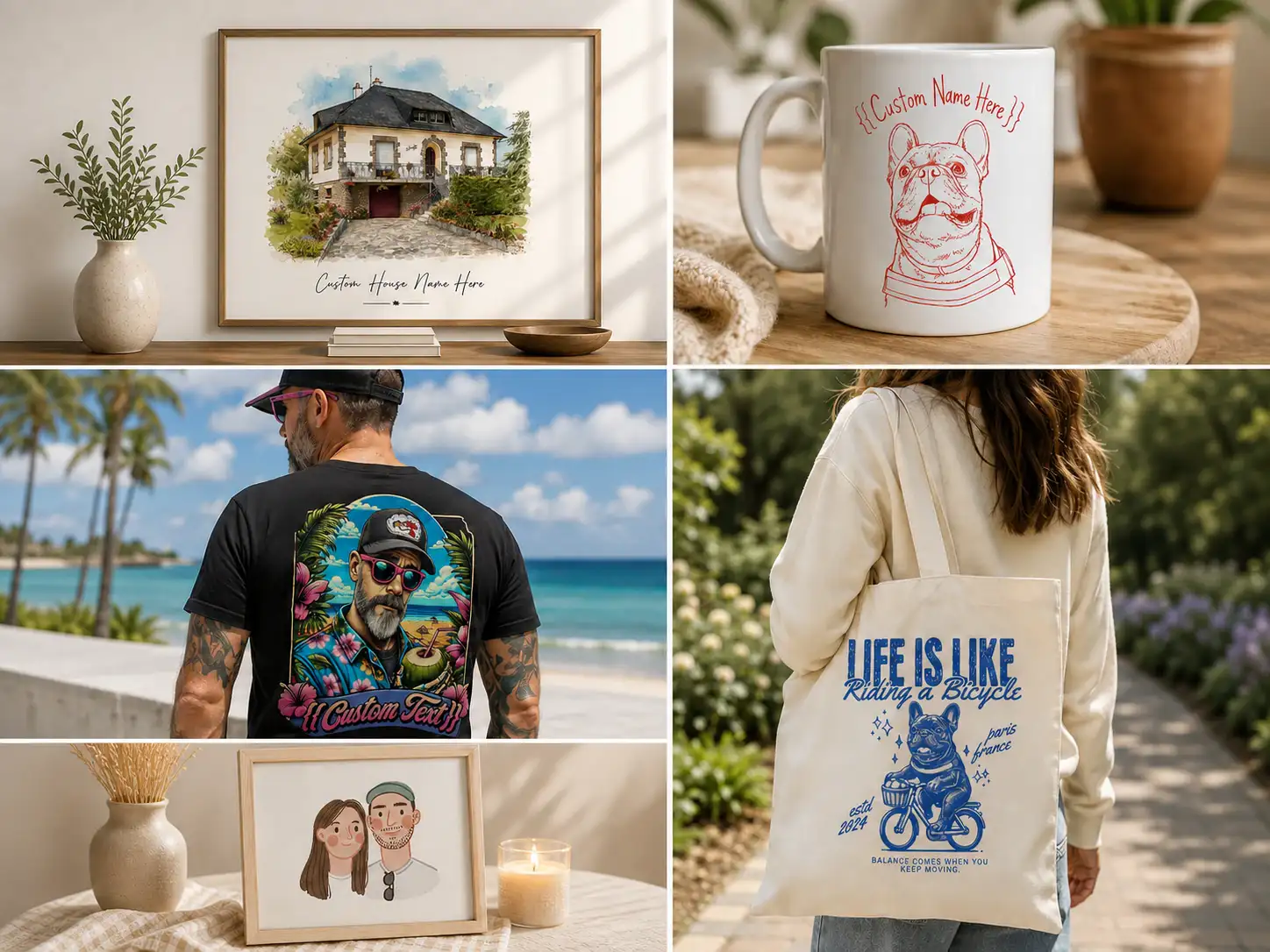
That setup fits a pet portrait, family illustration, house portrait, custom apparel graphic, or other product where the customer's photo is the raw material. The shopper generates the result before checkout and sees it on the product. The output is then kept with the order as a print-ready asset.
The merchant still has work to do: prompts need testing, reference images need rights, input instructions need to be clear, and quality rules need to account for difficult photos. The [AI design prompt generator](/tools/ai-design-prompt-generator/) can help create a starting prompt, while the Blueprint provides the reusable structure.
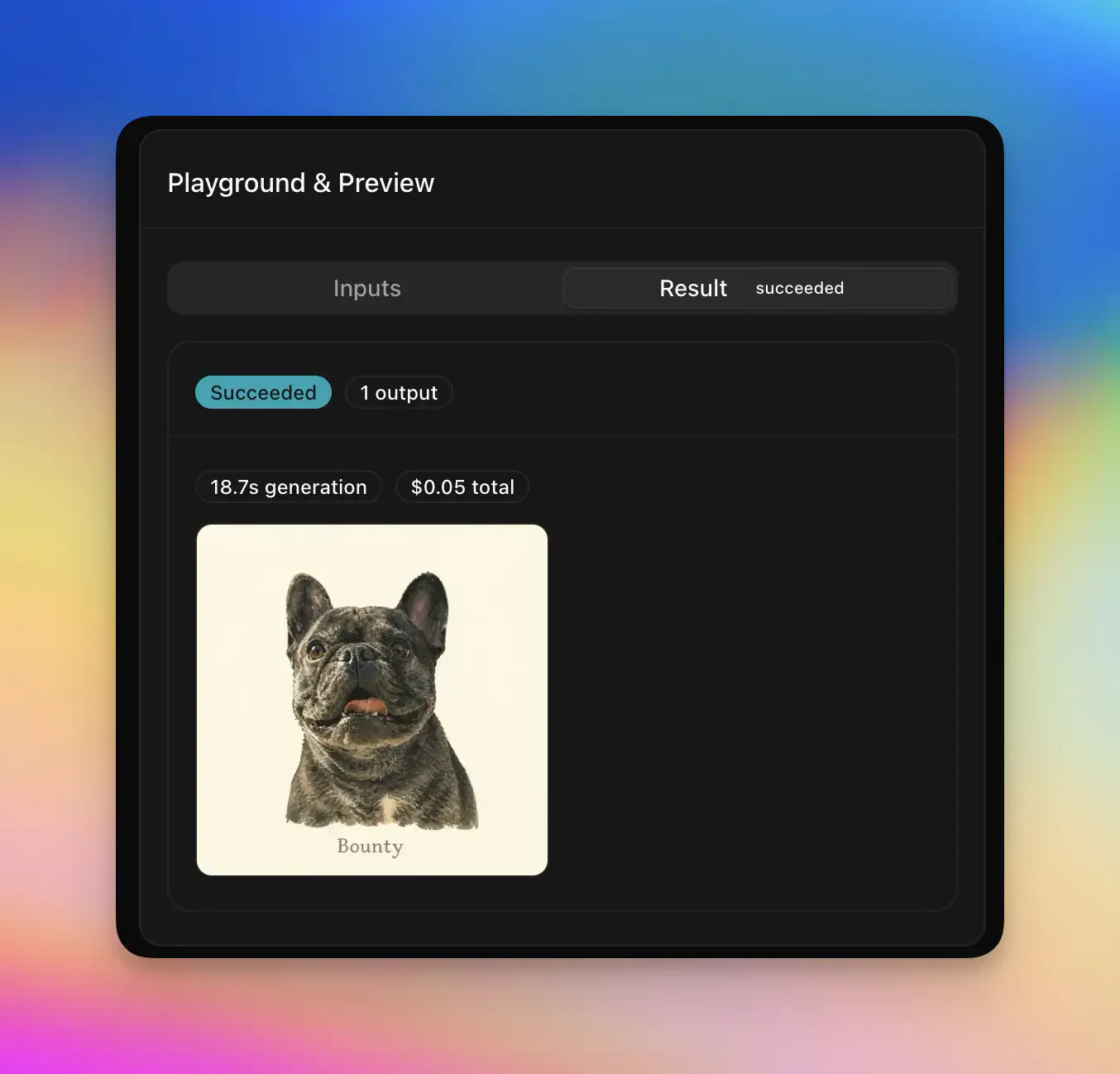
Product capture. The result view shows new artwork generated from shopper input, together with generation status and cost. Checked August 12, 2026. View the product listing.Product example. Personalize.design is aimed at photo-to-art products that can extend across wall art, mugs, apparel, tote bags, and gifts. Checked August 12, 2026. View the product listing.
## Fulfillment: production files versus the supplier handoff
Zakeke documents automatic print-ready output in PDF, PNG, SVG, and DXF and lists POD integrations such as Printful. Its printing pages describe sending the output into fulfillment workflows after the customer's design is approved. Those capabilities can reduce manual file preparation, but the exact order submission, provider approval, and exception behavior depend on the connected integration.
Personalize.design makes the supplier handoff explicit for its current Printful and Printify workflow. Auto-submit sends validated orders without a manual approval step. Review before submit pauses an order in **Needs review** so the merchant can inspect the customer input, current artwork, product mockup, print dimensions, and production details. The merchant can download or replace the asset, fix a problem, retry, and click **Approve and submit** when the order is ready.
For an AI-generated product, that distinction is useful. The shopper's preview should remain tied to the production asset, but the merchant should still be able to stop an output that is not fit to print. Zakeke's structured print rules and Personalize.design's generated-artwork review path protect quality in different ways.
## Compare the economics of the experience you need
Zakeke's current Shopify listing shows a free development-store plan and a 14-day trial. Starter costs $69.90 per month plus a 1.9% transaction fee on products sold through Zakeke, with up to 10 published products. Grow costs $129.90 plus 1.7% for up to 50 products, and Scale costs $299.90 plus 1.5% for up to 100 products. The plan pays for a broad visual-commerce system, not only a photo-to-art generator.
Personalize.design has a free Build plan for drafts and testing. Launch costs $29 per month or $290 per year. During the 14-day trial, the subscription and $0.45 personalized-item fee are waived, while AI generation is billed at cost from first use. After the trial, each personalized item sold adds $0.45. Retries, abandoned sessions, and failed generations remain part of the cost model.
Use the [personalized product margin calculator](/tools/personalized-product-margin-calculator/) to include transaction fees, published-product limits, AI generation, staff review, reprints, and supplier costs. A 3D configurator may be worth its price when physical configuration drives the sale. It is unnecessary overhead when the shopper only needs a new illustration on a POD product.
## Choose based on the uncertainty your shopper has
Choose Zakeke when the buyer needs to inspect a product's form, materials, components, placement, engraving, 3D view, or virtual try-on. Its breadth is the reason to choose it.
Choose Personalize.design when the buyer needs to see what their photo or idea becomes. The AI-generated artwork is the product, the shopper previews it before checkout, and the result moves through Printful or Printify with automatic submission or merchant approval before fulfillment.
Read the [Shopify guide to AI product personalization](/guides/ai-product-personalizer-for-shopify/), compare the [other alternatives](/alternatives/), and [build a Personalize.design product free](https://apps.shopify.com/personalize-design-beta) before committing to a broader configurator.
## Sources
- [Zakeke on the Shopify App Store](https://apps.shopify.com/zakeke-interactive-product-designer)
- [Zakeke Shopify product customizer and 3D configurator](https://www.zakeke.com/integrations/shopify/)
- [Zakeke features and print-ready files](https://www.zakeke.com/features/)
- [Zakeke pricing](https://www.zakeke.com/pricing/)
- [Personalize.design on the Shopify App Store](https://apps.shopify.com/personalize-design-beta)
For adjacent choices, compare the [Customily alternative](/alternatives/customily-alternative/), the [Teeinblue alternative](/alternatives/teeinblue-alternative/), and the [Shopify product personalizer comparison](/compare/best-shopify-product-personalizer-apps/).