TL;DR
Personalize.design is built for Shopify POD merchants who want to stand out from generic POD products, start with one idea, and launch quickly. Use one reusable AI Blueprint to test a product, let shoppers provide a photo or brief, and show the generated result before checkout. High-quality generative AI now makes it possible to sell custom artwork that previously required a designer to create by hand, while keeping the final artwork print-ready for fulfillment.
Personalize.design is a Kickflip alternative when the shopper’s photo or brief should become new product artwork. Kickflip is built for no-code product configurators: multiple components, colors, materials, image uploads, text, conditional logic, dynamic pricing, inventory, and live multi-view previews. Personalize.design solves a narrower POD problem: define a reusable AI Blueprint, generate the artwork from shopper input, show it on the product before checkout, and move the approved result into Printful or Printify with automatic submission or merchant review.
Kickflip is the better fit for products that shoppers assemble. Personalize.design is the better fit when the customer’s input is the raw material for a new visual product.
Kickflip vs. Personalize.design at a glance
| Decision | Kickflip | Personalize.design |
|---|---|---|
| AI-generated artwork | The public product and app listings center on configuration, live previews, options, logic, pricing, inventory, and print-ready files. A shopper-photo-to-art Blueprint workflow was not verified in the reviewed sources. | AI-native generation from shopper photos, briefs, reference artwork, prompts, and output rules. |
| Live preview | Real-time, multi-view product preview with instant price updates as the shopper changes components, colors, materials, or text. | A generated product render shows the new artwork on a connected supplier product before checkout. |
| Configuration | Unlimited variants, multi-component products, dependencies and logic, image uploads, text and fonts, dynamic coloring, bundles, and inventory rules. | A reusable Blueprint holds prompt rules, shopper inputs, references, product constraints, print-area requirements, model settings, and generation limits. |
| Fulfillment | Official pages describe print-ready files, inventory sync, and custom orders flowing toward production. The exact provider-specific submission and review behavior should be confirmed. | Printful and Printify can auto-submit validated orders or pause for merchant review before submission, with asset replacement and retry available. |
| Price | $59/month plus 1.95% to 0% per custom product sale; 14-day trial. White-label adds $49/month and Configure Price Quote adds $99/month. | Build is free for drafts and testing. Launch is $29/month or $290/year after the trial, plus $0.45 per personalized item; AI generation is billed at cost. |
| Where complexity sits | Product components, dependencies, inventory, dynamic pricing, visual states, theme setup, and production rules. | Prompting, references, shopper inputs, output constraints, quality tests, and AI spend limits. The AI design prompt generator can help start the Blueprint. |
The choice is about the source of variation. Kickflip manages a large set of valid configurations. Personalize.design manages the variance of AI-generated artwork from a shopper’s input.
Kickflip is built for products shoppers assemble
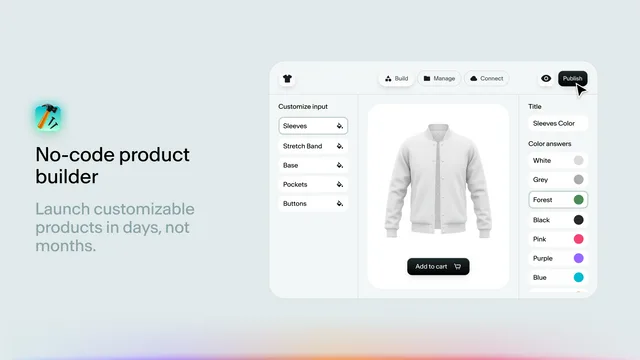
Kickflip’s public pages describe a web-based product configurator with no-code setup, live visual customization, dynamic pricing, unlimited variants, multi-component products, image uploads, text and fonts, dependencies, inventory management, and print-ready files. Its Shopify listing also emphasizes multiple perspectives and a live preview that updates as the customer configures the product.
That model fits sporting goods, furniture, apparel, electronics, jewelry, kits, and other products where the merchant knows the components and the shopper chooses a valid combination. The configurator’s job is to make those choices understandable, price them correctly, and prevent invalid orders.
The public workflow reviewed on August 12, 2026 does not document a reusable AI Blueprint that takes a shopper photo or brief and generates a new illustration as the product artwork. Kickflip may accept image uploads and can produce print-ready files, but those facts describe configurable inputs, not the same generative workflow.
Personalize.design is built for shopper-generated artwork
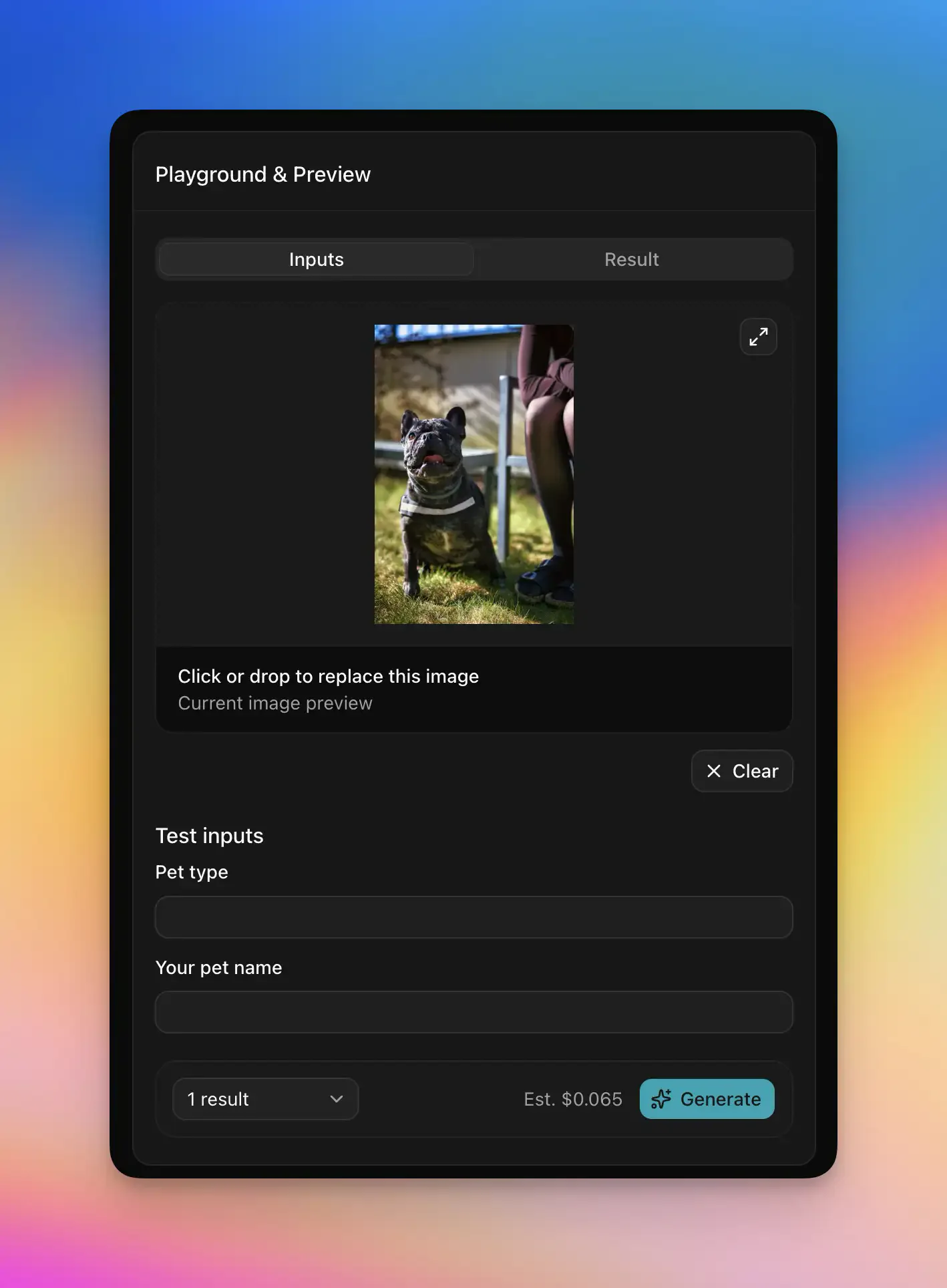
Personalize.design starts with an AI Blueprint, not a component matrix. The Blueprint contains the prompt, style rules, optional reference image, shopper inputs, product and print-area constraints, model settings, and generation limits. The merchant tests that recipe before publishing it to Shopify.
The shopper then supplies a photo or brief and receives new artwork on the product before checkout. This fits pet portraits, family illustrations, house portraits, custom apparel, and gift products where the value comes from a visual interpretation that cannot be reduced to a fixed list of colors or components.
AI variation still needs controls. The merchant can choose a model, set spend and generation limits, test difficult inputs, and decide when an output needs a retry or human review. The AI design prompt generator can create a structured starting prompt, so prompting does not mean writing every Blueprint from scratch.
Fulfillment: production automation with a review path
Kickflip’s official product pages describe print-ready files, inventory management, and custom orders flowing from cart toward production. That is useful for a merchant with a configurable product and known production rules. The public pages do not identify a single provider-specific order path equivalent to a Printful or Printify auto-submit/review workflow, so verify how your chosen supplier receives the final design and variant.
Personalize.design supports auto-submit and review before submit for Printful and Printify. In auto-submit mode, validated orders move through the connected provider workflow without a manual approval step. In review mode, the order pauses in Needs review. The merchant can inspect the customer input, artwork, product mockup, print dimensions, and production details, download or replace the final asset, retry if needed, and select Approve and submit.
This is useful for AI products because approval is attached to the generated asset, not only to the customer’s selected product options. The merchant can keep the workflow automated for normal orders and reserve judgment for outputs that need it.
Compare cost against the type of work you are removing
Kickflip’s current pricing is $59 per month plus a transaction fee ranging from 1.95% down to 0% per custom product sale. The plan includes unlimited products, page views, and storage, with a 14-day trial. White-labeling adds $49 per month, and Configure Price Quote adds $99 per month.
Personalize.design has a free Build plan for drafts and testing. Launch costs $29 per month or $290 per year. During the 14-day trial, the subscription and $0.45 personalized-item fee are waived, while AI generation is billed at cost from first use. After the trial, each personalized item sold adds $0.45. Retries, abandoned sessions, and failed generations remain part of the AI cost model.
Use the personalized product margin calculator to model transaction fees, AI usage, staff review, reprints, supplier costs, and the value of preventing invalid configurations. A configurator’s fee can be justified by complex product economics. It is extra machinery when the product only needs photo-to-art generation on a POD blank.
Choose the source of variation your store actually needs
Choose Kickflip when shoppers assemble a product from components, colors, materials, options, and bundles, and when dynamic price or inventory rules are part of the sale. Its product builder is the point.
Choose Personalize.design when the shopper’s photo or brief should become new artwork. The buyer previews that generated product before checkout, and the result moves through Printful or Printify with automatic submission or merchant approval before fulfillment.
Read the Shopify guide to AI product personalization, browse the other alternatives, and build a Personalize.design Blueprint free before selecting a broader configurator.
Sources
- Kickflip on the Shopify App Store
- Kickflip pricing
- Kickflip product configurator
- Personalize.design on the Shopify App Store
For nearby choices, compare the Customily alternative, the Teeinblue alternative, and the Shopify product personalizer comparison.